How a law student can stop getting lost in his own notes
His notes, PDFs and slide photos never talked to each other. One vault and one question changed how he revises.

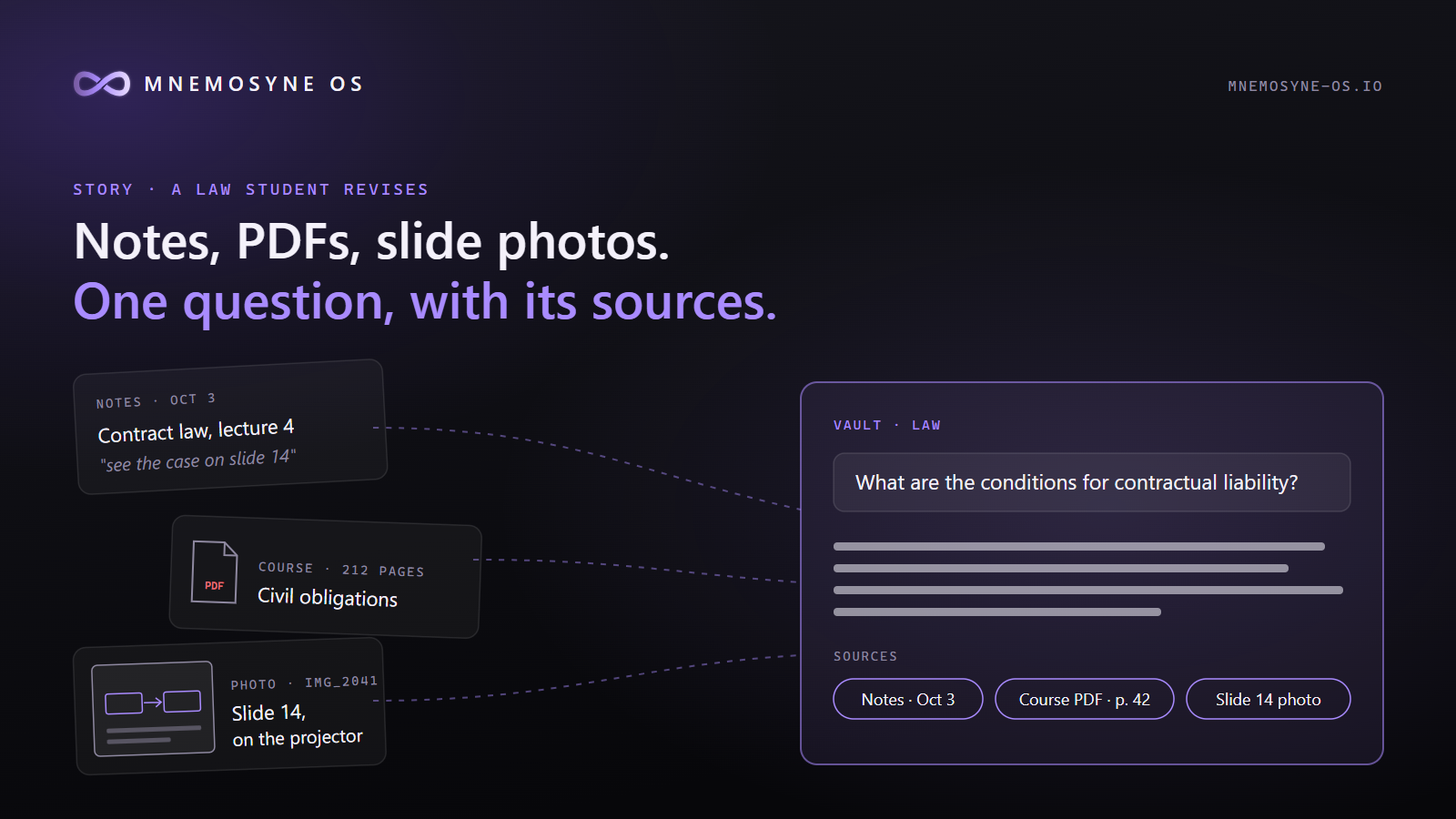
Picture a second-year law student. By November he has three kinds of material for every course: his own notes typed in class, the professor's PDFs, and dozens of phone photos of the projector slides, taken because the slides go too fast.
None of it talks to each other. The notes say "see the case on slide 14". The PDF has no slide 14. The photo of slide 14 is somewhere in a camera roll of 2,000 pictures, between a receipt and a cat.
Revising becomes searching. And searching is where the evening goes.
Here is how he could set it up with Mnemosyne OS.
One vault for law school
He creates a vault called "Law" and points it at the folder where his notes and PDFs already live. He drops his slide photos into the same folder. Mnemosyne watches it and indexes everything on his own computer: the text of his notes, the full PDFs split by their headings, and the photos, which go into an image memory.
Asking instead of searching
The night before the exam, he types:
What are the conditions for contractual liability?
The answer comes with its sources: a passage from his notes of October 3, a section of the professor's PDF, and the page each one comes from. He clicks a source and the file opens where the passage is. If the answer says something he cannot find in a source, the verified-answer mode marks that sentence so he knows not to trust it.
Finding the photo
He remembers a slide with a diagram about the formation of a contract. He describes it:
diagram with offer and acceptance
The photos that look closest come back as thumbnails under the answer. He does not have to remember the date he took it.
Seeing the connections
The part he did not expect is the map. The neural map shows his memory as points, grouped by source. A note from civil law sits next to a passage from his contract law PDF because they talk about the same thing. Two courses taught by two professors, linked by the material itself.
What it does not do
It does not write his essay and it does not replace reading the course. It finds what he already has, shows where it comes from, and lets him check.
What it costs
The app is free on Windows, macOS and Linux. The index of his documents is built on his own machine. He can answer with a local model, his own API key, or prepaid credits.
If you are a student drowning in notes, PDFs and slide photos, try it with one course first: mnemosyne-os.io
2 comments
Sign in to join the conversation.
Loading…